

In March 2022, Microsoft set up Outbound SMTP DANE with DNSSEC automatically. You didn’t have to do anything for that. For incoming mail, it took until 2024 before Microsoft made the same protection available, and you have to enable it yourself.
In this article you learn step by step how to set up Inbound SMTP DANE and DNSSEC in Exchange Online. Then you finish the job with MTA-STS and TLS-RPT, so that senders without DANE support also deliver to you encrypted, and you get reports when something goes wrong.
What do DANE, DNSSEC, MTA-STS and TLS-RPT do?
| Technology | What it does |
|---|---|
| DNSSEC | Signs your DNS data, so nobody can forge it in transit. |
| SMTP DANE | Records in DNS which certificate your mail server uses. Senders refuse a forged or unencrypted connection. |
| MTA-STS | Does the same through a policy file on HTTPS, for senders that do not support DANE. |
| TLS-RPT | Lets senders report failed encrypted deliveries to you daily. |
All of it is free for Microsoft 365 users. You only need admin rights in Exchange Online and access to your DNS.
Part 1: Inbound SMTP DANE and DNSSEC
Step 1: Check that your domain is signed with DNSSEC
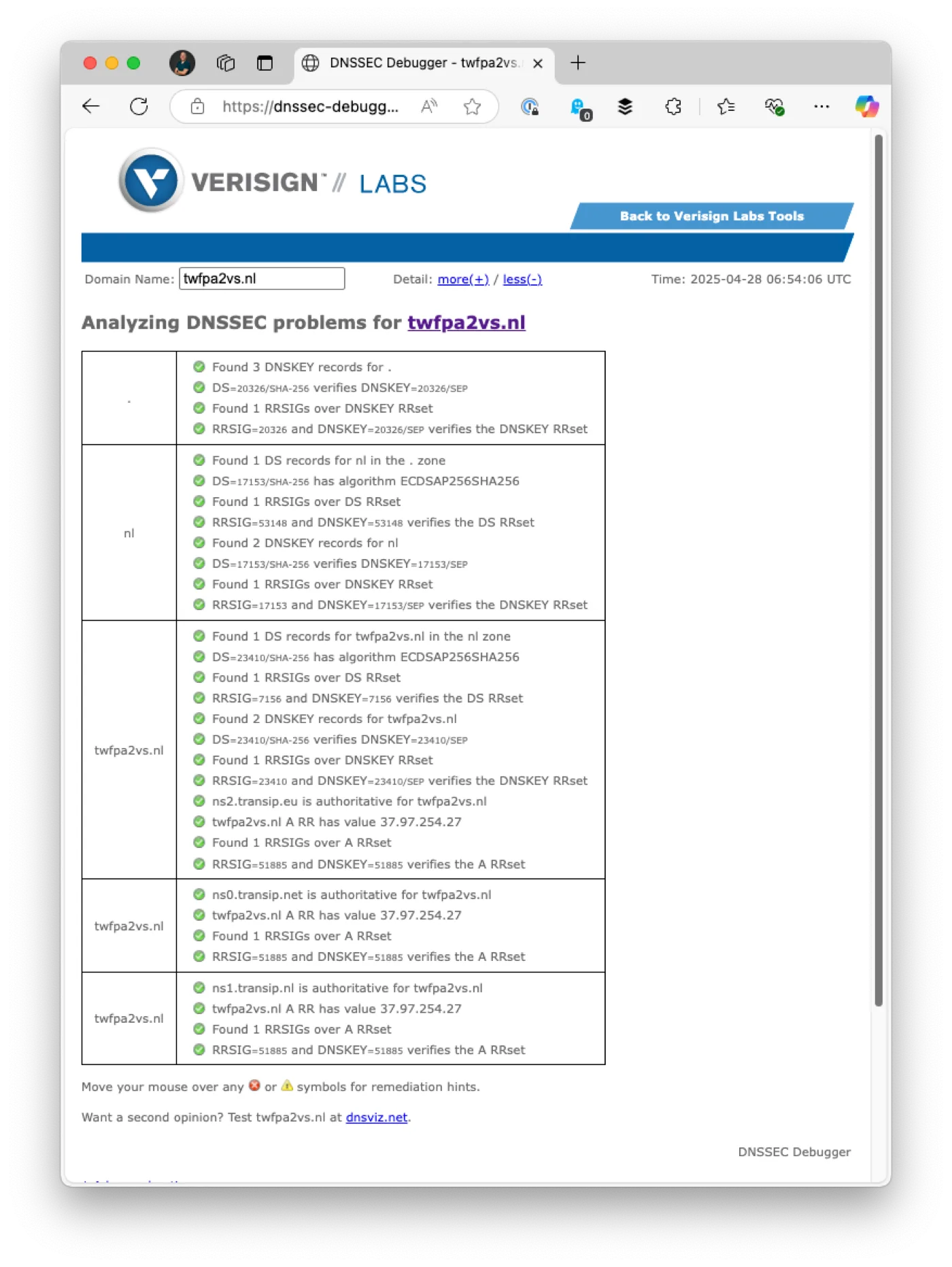
- Go to the Verisign DNSSEC Debugger.
- Enter your domain name.
- Check that every line has a green tick.
Is your domain not signed? Enable DNSSEC at your registrar. If your registrar does not support it, it is wise to move your domain to a provider that does.
Step 2: Lower the TTL of your current MX record
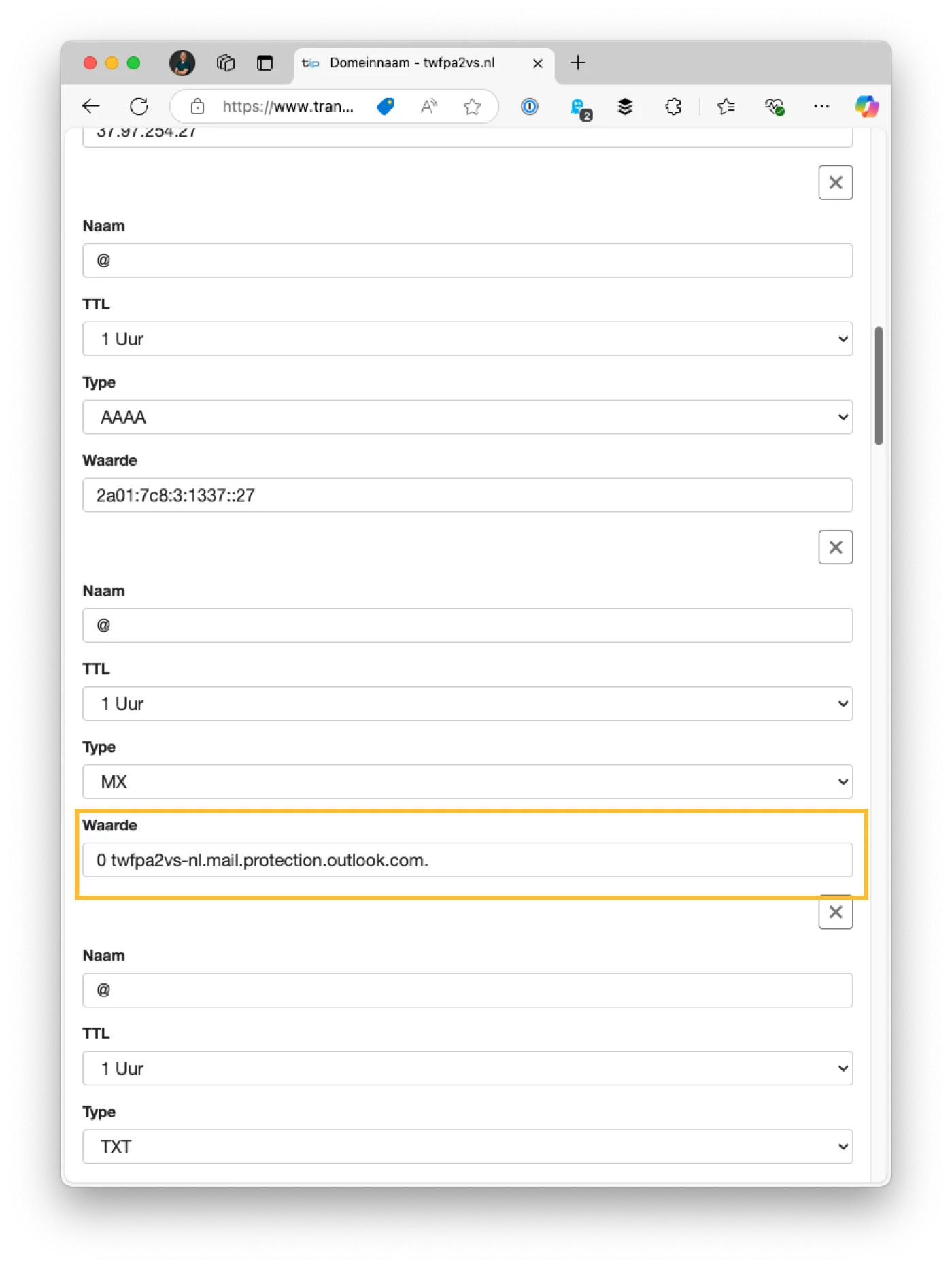
- Log in to your DNS provider.
- Set the TTL (Time To Live) of your current MX record to 1 minute.
- Make sure the priority of this record is 0 or 10.
- Save the change.
Wait until the old TTL has fully expired before you continue. If it was 1 hour, wait an hour.
Step 3: Connect to Exchange Online PowerShell
Start PowerShell as administrator. If you do not have the Exchange Online module yet, install it first. Confirm with “Yes” when PowerShell asks whether it may install from the PSGallery.
Install-Module ExchangeOnlineManagement
Connect-ExchangeOnline
Step 4: Enable DNSSEC for your domain
Enable-DnssecForVerifiedDomain -DomainName "jouwdomein.nl"
The output shows a new value, the DnssecMxValue. You need it in the next step. It ends in mx.microsoft.

Step 5: Add a new MX record
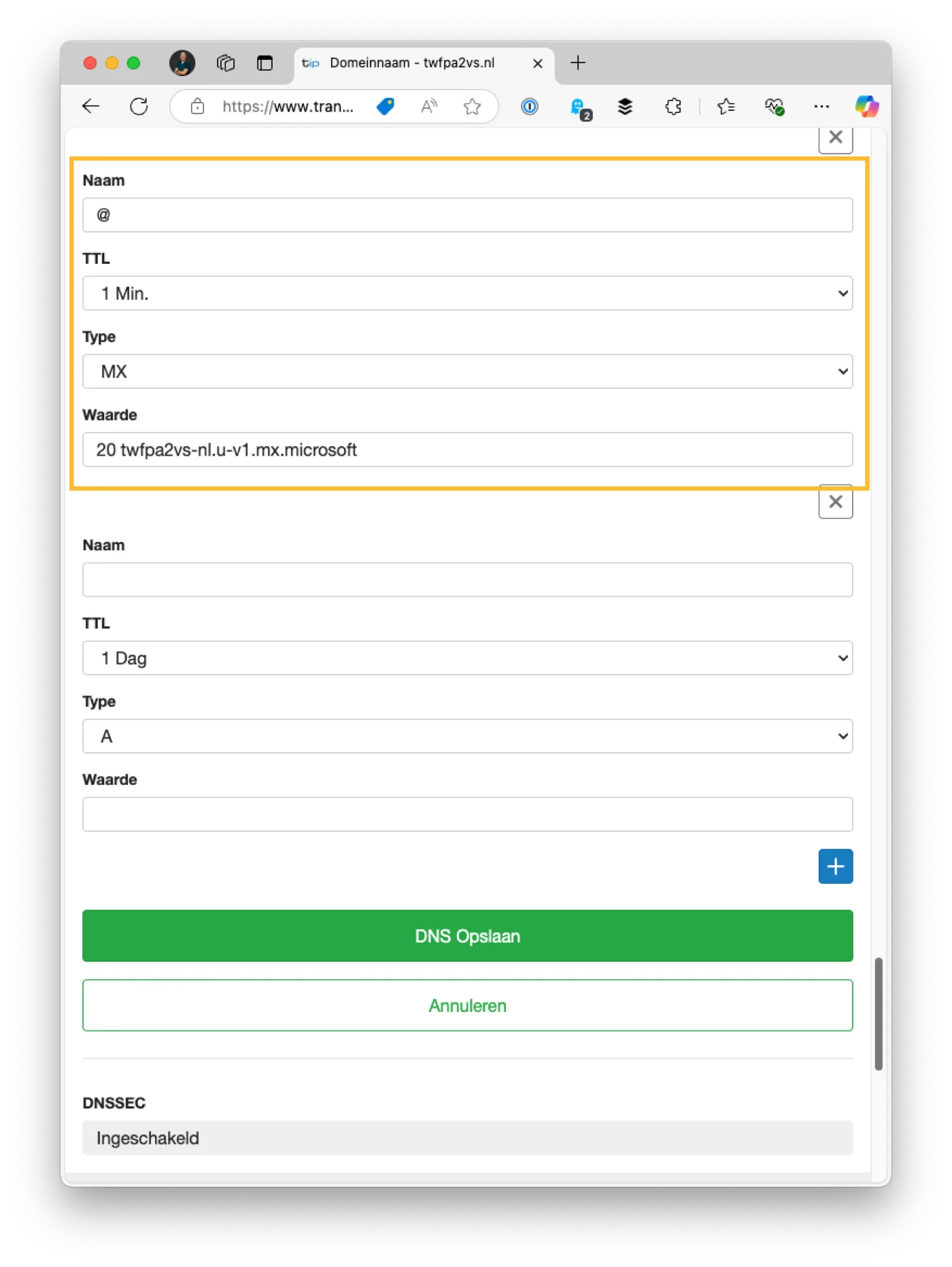
Create a second MX record at your DNS provider:
| Field | Value |
|---|---|
| Name | @ |
| Value | the DnssecMxValue from step 4 |
| Priority | 20 |
| TTL | 1 minute |
Step 6: Test the new MX record
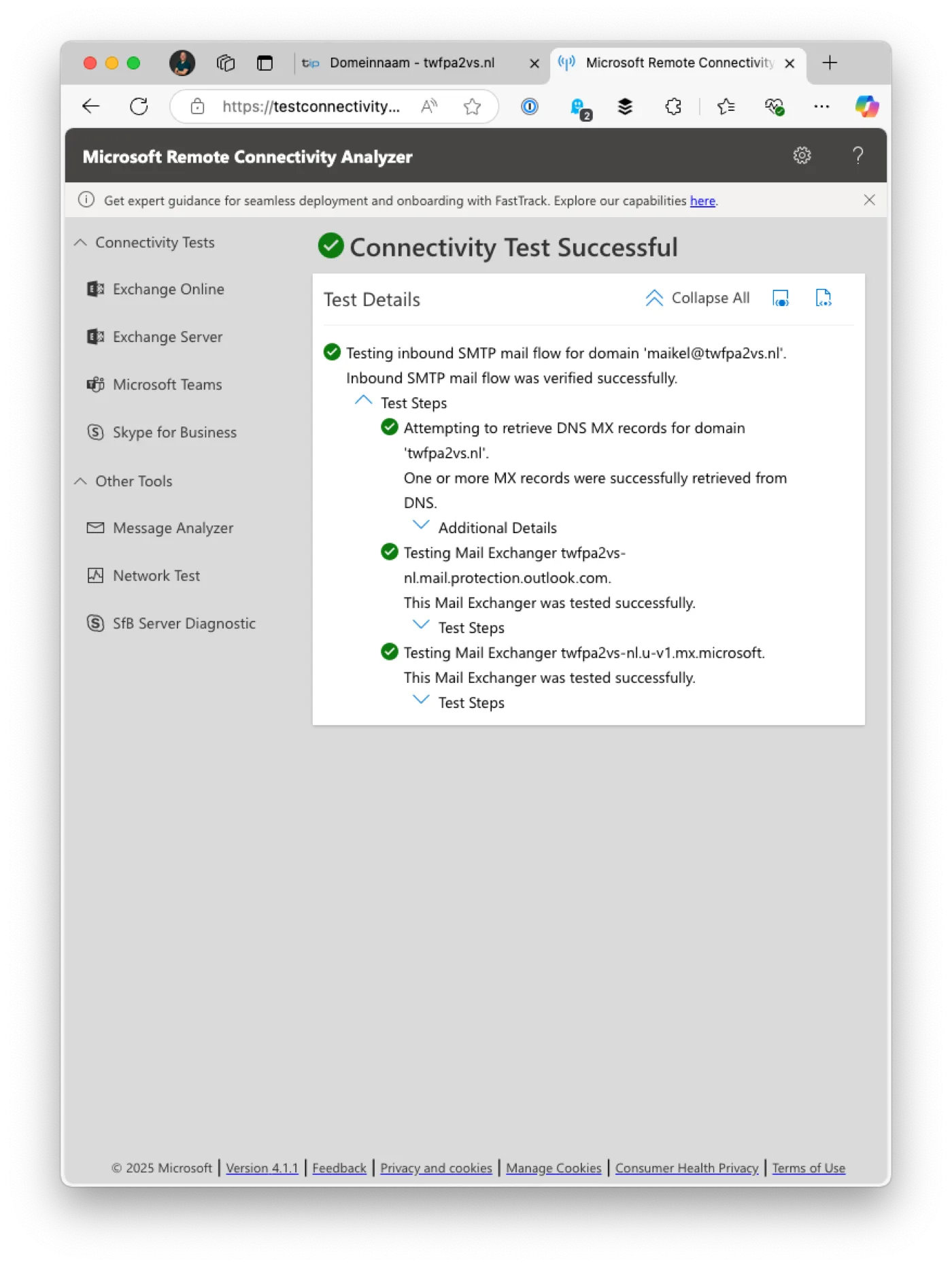
- Go to Microsoft’s Inbound SMTP Email Test.
- Enter an email address on your domain.
- Check that the test passes for the new MX record.
Step 7: Delete the old MX record
Delete the MX record that points to mail.protection.outlook.com.
Step 8: Set the priority of the new MX record to 0
Change the priority of the new record from 20 to 0. You can now raise the TTL again too, for example to 1 hour.
Step 9: Check the DNSSEC validation
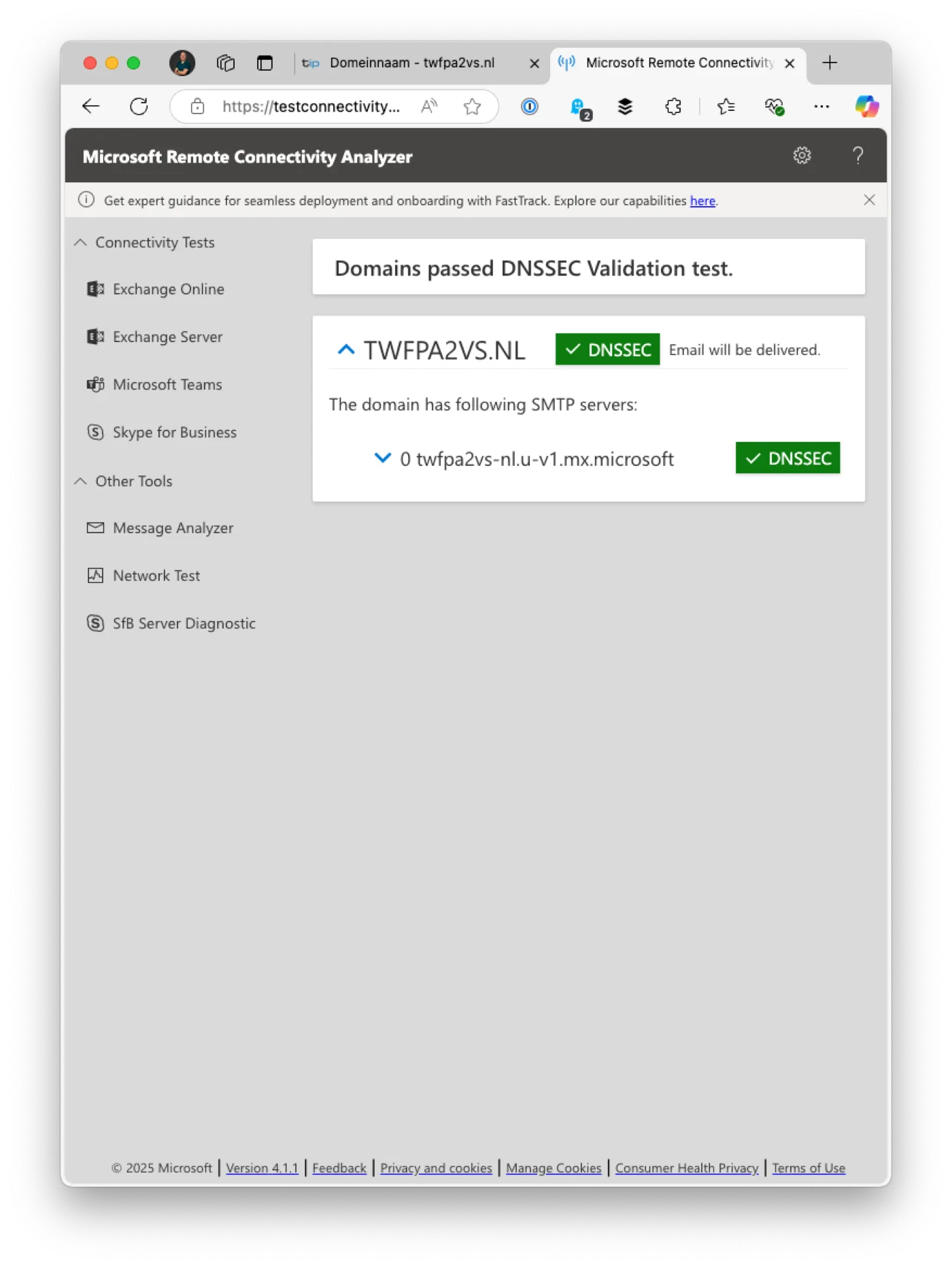
- Go to Microsoft’s DNSSEC and DANE validation tool.
- Choose DNSSEC Validation.
- Check that everything is green.
Step 10: Enable Inbound SMTP DANE
Stay connected to Exchange Online and run:
Enable-SmtpDaneInbound -DomainName "jouwdomein.nl"
Then wait 15 to 30 minutes, so Microsoft’s TLSA records are known everywhere.

Step 11: Check the DANE validation
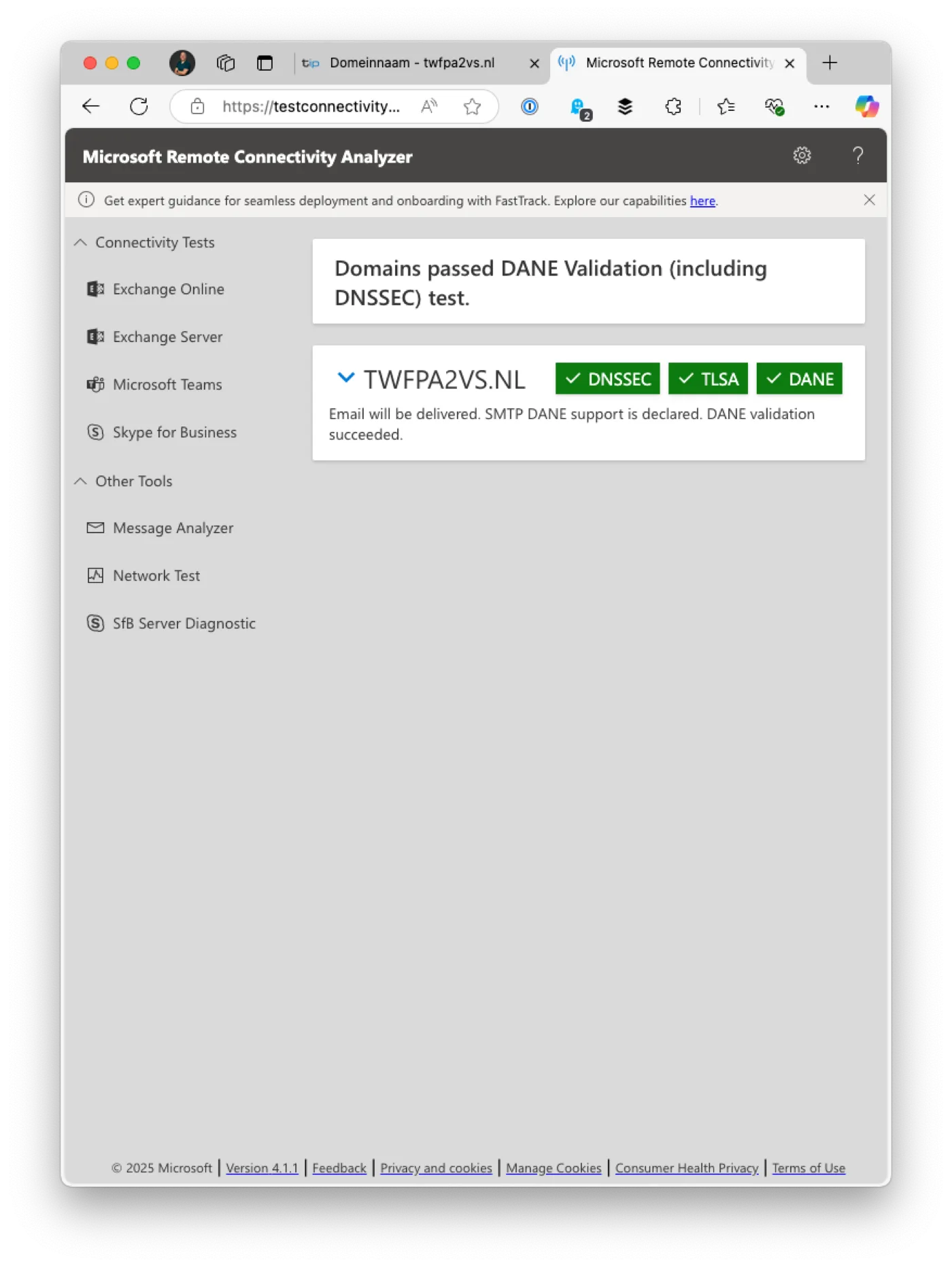
- Go back to the DNSSEC and DANE validation tool.
- Choose DANE Validation (including DNSSEC).
- Check that the validation passes.
Microsoft publishes several TLSA records for reliability. If at least one validates, your configuration is correct.
Part 2: MTA-STS and TLS-RPT
DANE only works with senders that support DNSSEC and DANE. Large providers such as Gmail also support MTA-STS. With both, you cover most senders.
Step 12: Publish the MTA-STS policy
Create a text file with this content:
version: STSv1
mode: testing
mx: *.mx.microsoft
mx: *.mail.protection.outlook.com
max_age: 604800
mode: testingmeans senders report errors but still deliver. Always start this way.- The two
mxlines cover the new Microsoft mail servers from part 1 and the old ones. If only the new MX record is left, you can remove the second line later. max_ageis how long senders remember the policy, in seconds. 604800 is one week.
Put the file at exactly this address, with a valid HTTPS certificate:
https://mta-sts.jouwdomein.nl/.well-known/mta-sts.txt
The file must be served as plain text (text/plain). Any web host with HTTPS works. We use Cloudflare Pages: you add mta-sts.jouwdomein.nl as a custom domain there, and Cloudflare takes care of the certificate. Microsoft does not host the file for you.
Step 13: Add the DNS records
| Name | Type | Value |
|---|---|---|
_mta-sts |
TXT | v=STSv1; id=20261112 |
_smtp._tls |
TXT | v=TLSRPTv1; rua=mailto:tlsreports@jouwdomein.nl |
- The
idis a version number of your own choosing. A date works well. Change it every time you change the policy file, otherwise senders will not notice the change. - In the
_smtp._tlsrecord, enter the address where the daily TLS reports should go. If you use a DMARC service, check whether it also processes TLS reports.
Step 14: Check, then switch the policy to enforce
- Check that the policy file is reachable by opening the address from step 12 in your browser.
- Leave the policy on
testingfor a few weeks and read the TLS reports. - If you see no errors, change
mode: testingtomode: enforce, and increase theidin the_mta-stsrecord.
From then on, senders that support MTA-STS refuse to deliver unencrypted or to the wrong server.
Check your result on internet.nl
Run the email test at internet.nl/test-mail. With SPF, DKIM, DMARC, DNSSEC and DANE in order, everything you can configure yourself turns green.
Our test domain scored 100% with these steps in April 2025, and got a place in the internet.nl Hall of Fame.
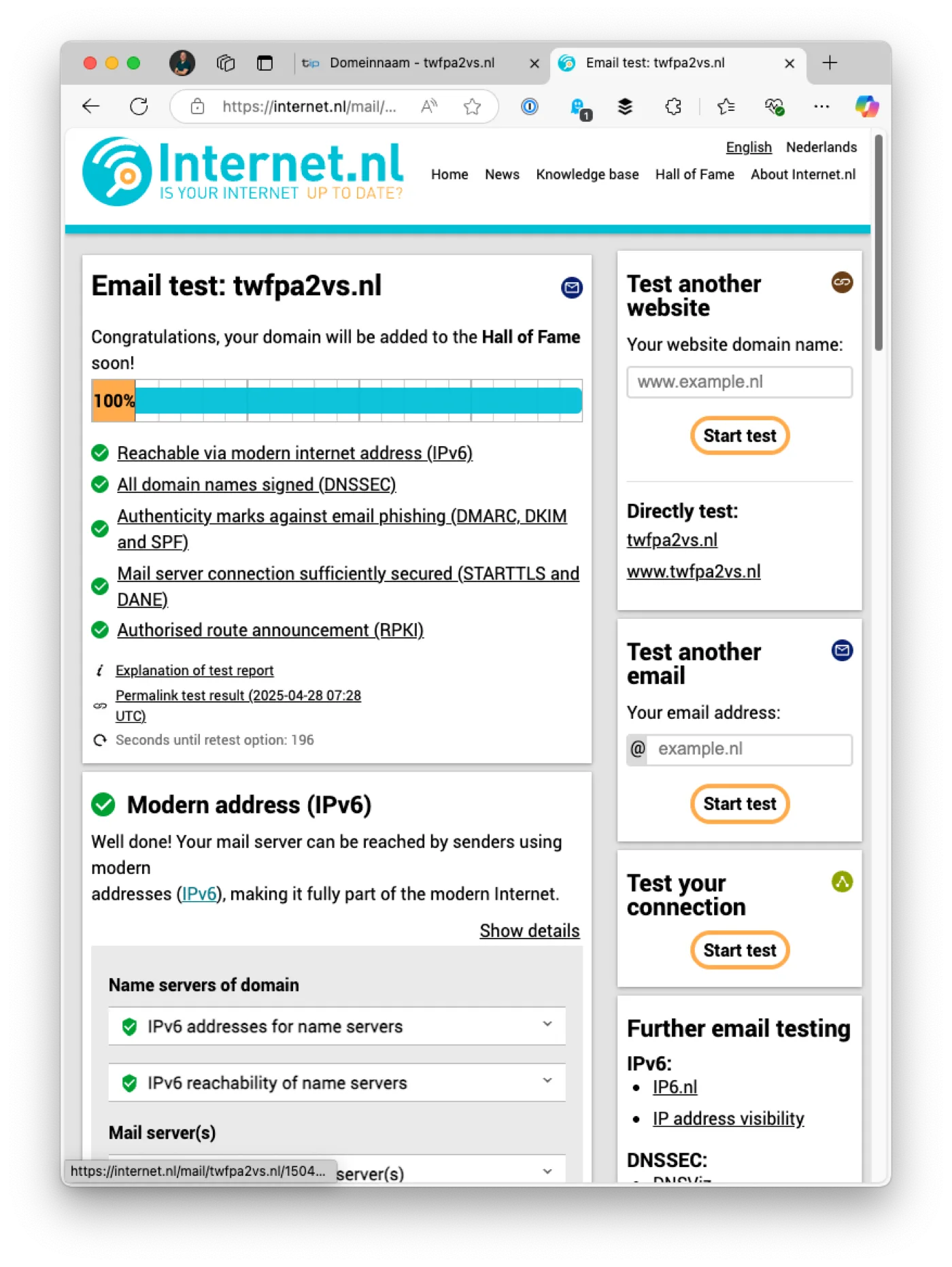
One caveat: internet.nl also assesses the encryption of Microsoft’s own mail servers. In our test in November 2026, internet.nl rejected some cipher suites and SHA1 there, so the score stayed at 97%. As a Microsoft 365 customer, you have no control over that. internet.nl does not count MTA-STS and TLS-RPT in the score, but they do make your mail more secure.
Need help?
Would you rather not do this yourself, or do you want to know how your email domain is doing? The free domain check checks SPF, DKIM, DMARC and BIMI in one go. We are happy to help you set up DANE and MTA-STS.
Source for part 1: Ali Tajran’s guide, Inbound SMTP DANE and DNSSEC Exchange Online.